



Google CSE support for Google's end-to-end encrypted email
Google Workspace can use the Key ACL Service (KACLS) to encrypt and decrypt Gmail messages. Google's end-to-end encrypted email ("Send to anyone") allows enterprise Gmail users to send end-to-end encrypted messages to any email address, without needing to configure S/MIME certificates for users.
Note
Google’s end-to-end encrypted email is generally available (GA) as of October 2025. The GA release includes full support for the following scenarios:
-
Sending emails to other Google Workspace domains
-
Sending emails to @gmail.com consumer accounts
-
Setting up a guest Identity Provider (IdP) for external recipients
-
Sending emails to guest recipients
CipherTrust Manager version 2.22 and later fully support all features introduced in Google’s GA release.
Before enabling this client-side encryption, complete the prerequisites.
Prerequisites
The prerequisites include the following.
-
Create an environment and enroll it with Google.
-
Enable Google Workspace CSE for intended Gmail users (senders and recipients).
-
Open the Google Admin console, http://admin.google.com.
-
Log on to the user domain as a super admin.
-
Navigate to CSE settings: Data > Compliance > Client-Side Encryption.
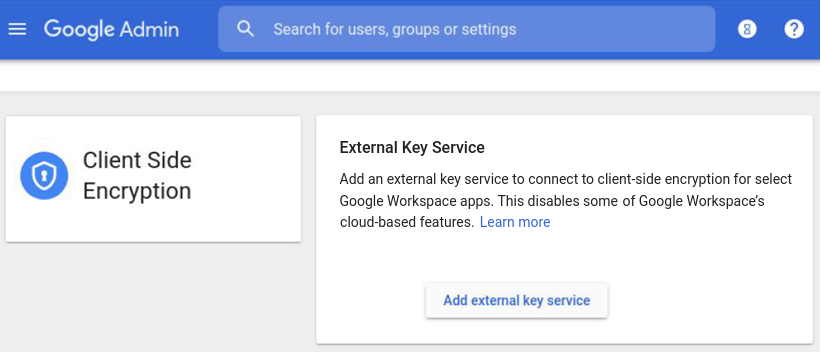
-
Scroll down to the Apps section and click the Gmail link.
-
Select an organizational unit or group for which you want to enable Gmail CSE.
-
Under User access, select ON.
-
Save the settings.
-
-
The Assured Controls or Assured Controls Plus add-on is required. End-to-end encrypted email is only available when hardware key encryption is not used.
Enable Send to anyone
To enable "Send to anyone" from the Google Admin console:
-
Open the Google Admin console.
-
Log on to the user domain as a super admin.
-
Navigate to Data > Compliance > Client-Side Encryption > Gmail.
-
Under Encryption with guest accounts, click the Edit icon.
-
Enable Allow users to send client-side encrypted messages to recipients who aren't using S/MIME.
-
Click Save.
Note
External recipients are granted guest accounts. These accounts:
-
Reside within a dedicated organizational unit (OU) or group.
-
Are fully owned by the customer's organization.
-
Must adhere to the customer's organization's policies.
Admin controls allow Gmail users to access their accounts.
-
To enable "Send to anyone" for external Gmail domains and guests on CCKM:
-
When creating a new KACLS endpoint or updating an existing one, ensure to set the value of
allow_guest_accessto true. Refer to Creating KACLS Endpoints and Updating a KACLS Endpoint for details. -
Set the value of the
authenticationAudparameter to the Client ID of the Guest Identity Provider that has been configured in your Google Admin Console. Refer to Additional Configurations for Guest Access on Google Admin Console for details.

