



Installing and Configuring CADP Key Storage Provider
Installing the CADP Key Storage Provider
This section includes the steps to install the CADP Key Storage Provider (KSP). To do so, follow the steps mentioned below:
Download the CADP Key Storage Provider file.
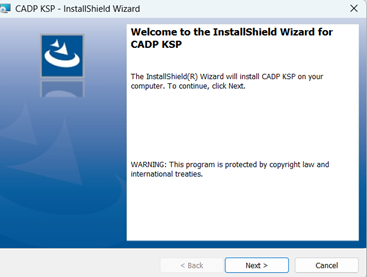
Double-click the setup to launch the InstallShield Wizard. The Welcome screen appears. Click Next.
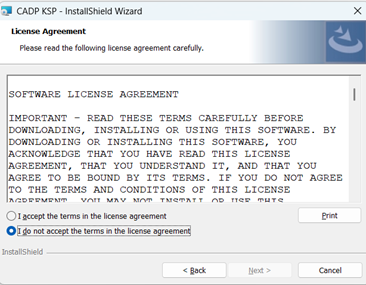
Accept the license agreement and click Next.
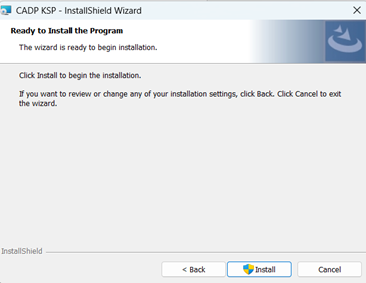
Click Install to begin the installation.
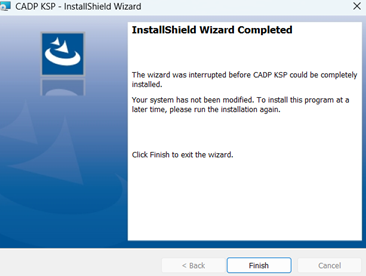
Click Finish to complete the installation.
Once the CADP Key Storage Provider is installed, create a user on the CipherTrust Manager and assign permissions to the user for the following:
Key Admins
Key Users
CA Admins
For more information on creating and configuring user and permissions, refer to the CipherTrust Manager Documentation.
To register the provider:
Navigate to
C:\Program Files\CipherTrust\CADP_Integrationand runCADPKSPInstaller.exeas an Administrator. Enter the same username and password, as used in the previous step to create a user on the CipherTrust Manager appliance.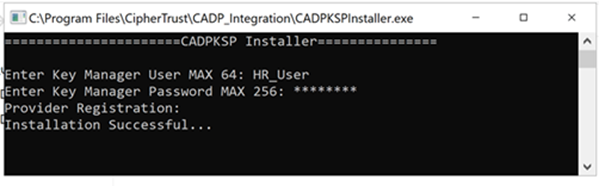
Configuring CADP Key Storage Provider
To configure CADP Key Storage Provider to connect with the CipherTrust Manager, enter the following values in the CADP_Integration.properties file (placed at C:\Program Files\CipherTrust\CADP_Integration).
NAE_IP: IP address of the CipherTrust Manager
NAE_Port: 9000 (default value)
Protocol: tcp/ssl
Note
To run this integration using the TCP protocol, ensure that the mode of the interface on the CipherTrust Manager is set to No TLS. For more details regrading configuring interfaces refer to the CipherTrust Manager documentation.
If you want to use the SSL protocol, you need to configure SSL using the steps mentioned in the Setting up SSL/TLS section.
Log_Level: The
Log_Levelparameter determines the level of logging performed by the client.- WARN (default) - Warning (& Error) events are logged.
- ERROR - Error events are logged
- INFO - Informative events are logged
- DEBUG - Diagnostic information are logged
Log_File: Full path and file name. The user must have write permissions on this path and file.
CA_File: The CA_File parameter refers to the CA certificate that was used to sign the server certificate presented by the NAE Server to the client. (for ssl only)
Cert_File: The Cert_File parameter stores the path and filename of the client certificate. This is only used when your SSL configuration requires clients to provide a client certificate to authenticate to the CipherTrust Manager appliances. (for ssl only)
Key_File: The Key_File parameter refers to the private key associated with the client certificate specified in the Cert_ File parameter. (for ssl only)
Note
To view and configure CADP_Integration.properties, refer to Configuring Properties File.

