



Publish jar/zip File to AWS Lambda Function
Create the CSP function
Once you have generated the jar file to be uploaded, you can create the CSP function.
AWS Lambda Function
To create a lambda function:
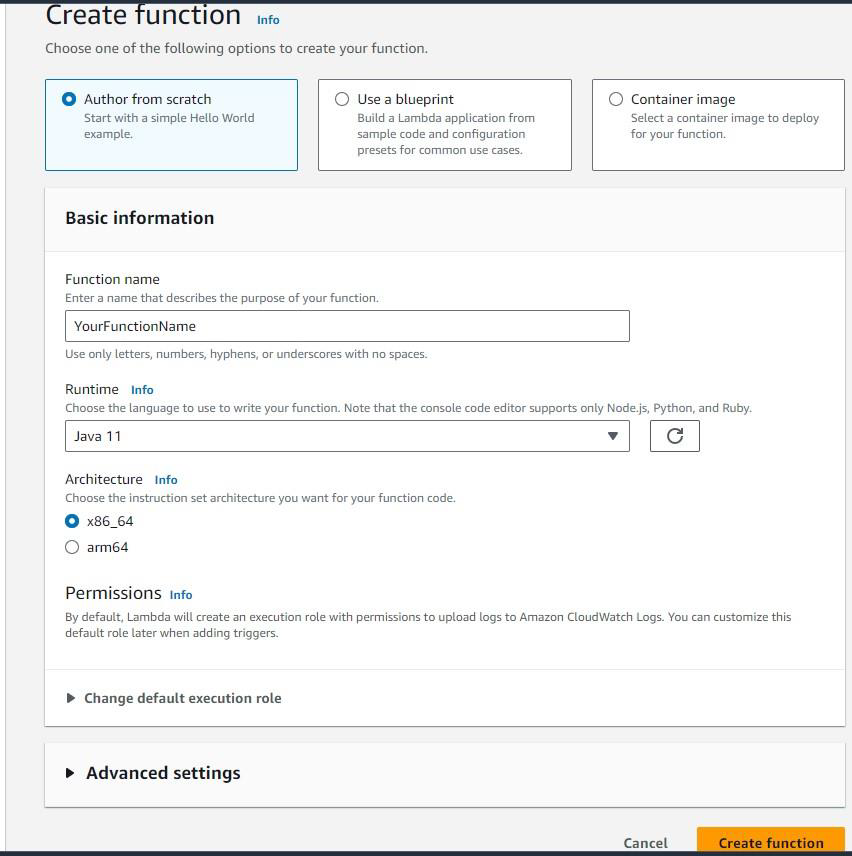
Click Create function.
Set environment variables appropriate values, see section on Environment Variables for details.
Click Next.
Upload the jar or zip file on the next screen. Ensure to change the entry point to reflect your class name. The example below is
ThalesAWSRedshiftCADPNbrDecryptFPE. This should match your code path. Ensure to have a role that allows forAWSLambdaBasicExecutionRole. 512MB of RAM is plenty. You can monitor your tests and possibly lower them.After the functions are created, and CM is configured and setup with the key and all the environment variables, you can test the function with the test tab.
You need to provide the appropriate JSON to test. Here is an example:
{
    "request_id": "23FF1F97-F28A-44AA-AB67-266ED976BF40",
    "cluster": "arn:aws:redshift:xxxx",
    "user": "adminuser",
    "database": "db1",
    "external_function": "public.foo",
    "query_id": 5678234,
    "num_records": 3,
    "arguments": [
        [
            "The. king. and I me"
        ],
        [
            "The mroe data "
        ],
        [
            "test dada"
        ]
    ]
}

