Integration with CipherTrust Manager
Here is a link to a demo that shows all the steps required to setup CRDP in CM.
Here is a list of the steps.
Create an Encryption Key
Create a CRDP Application
Create a User Set
Create an Access Policy
Create a Protection Policy
Perform Integration
When creating a key to be used by the protection policy make sure that it is in the Application Data Protection Clients Group.
If the userset lookups are desired, then while creating a user it should have the ability to export the key and also be in the Application Data Protection Clients Group. This user will be provided as an environment variable for the function along with the password. The examples provided have the key as a hardcoded value, but this can be easily altered to be provided as an environment variable, obtained from a secrets manager or in the userDefinedContext of the create function statement.
As noted above there is a test class that can be used to test connectivity with CM without having to publish the Function.
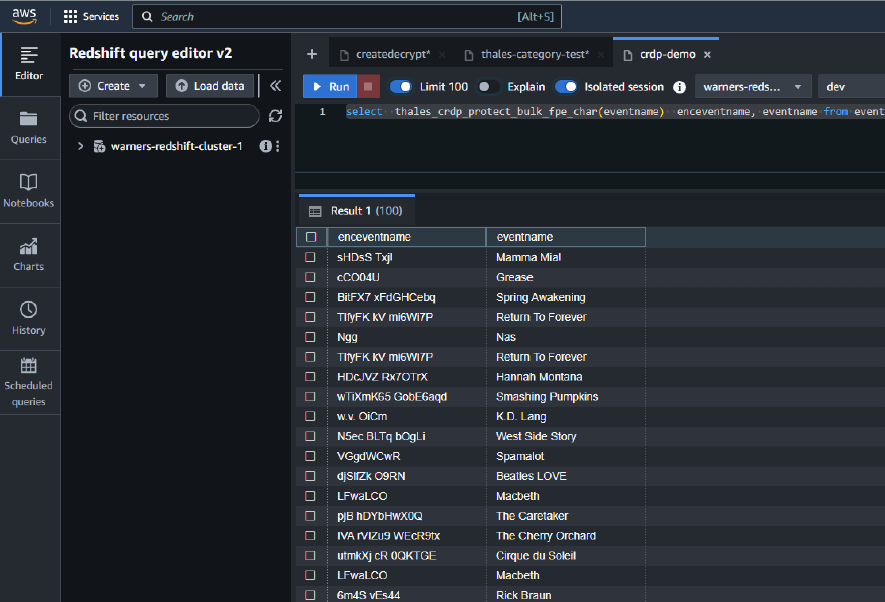
When all the above steps are performed, you should see your UDF’s in AWS Redshift UI. Here is a sample query using one of the UDF’s.