Appendix
Changing the Encryption Mode to Library Managed Encryption(KMIP)
Perform the following steps:
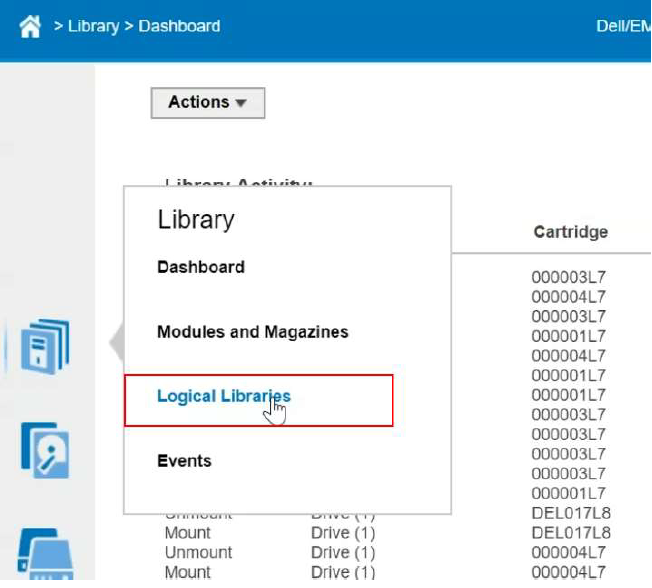
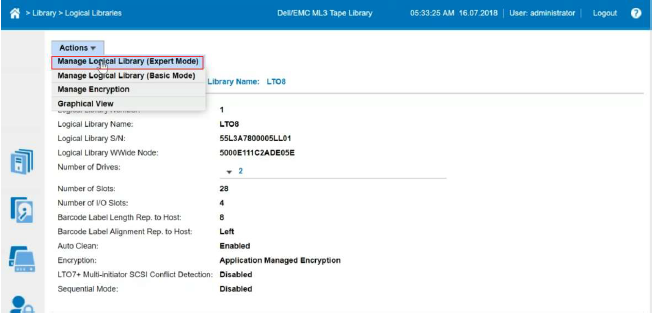
Navigate to Library > Logical Libraries > Actions (dropdown) > Manage Logical Library (Expert Mode)
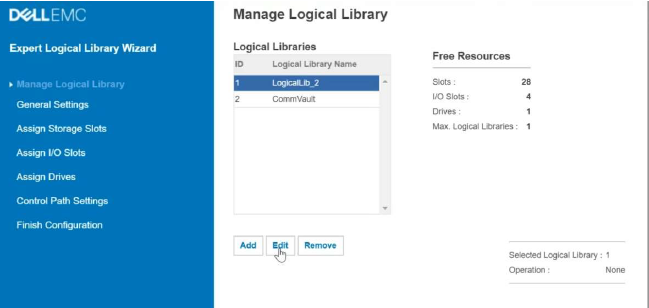
Select the Logical Library and click Edit. Then click Next.
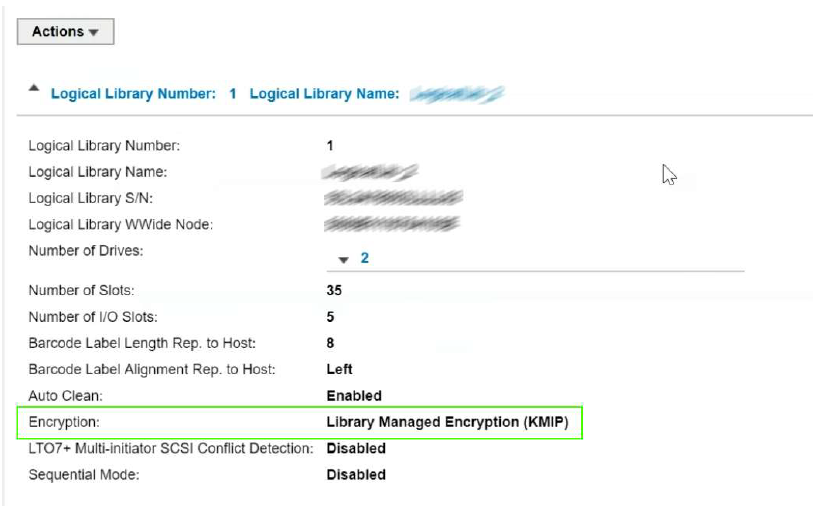
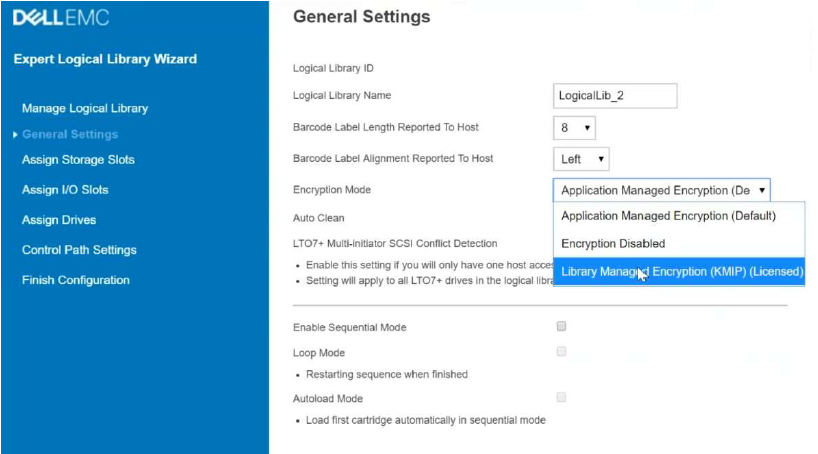
Change Encryption Mode to Library Managed Encryption (KMIP).
Click Next until the end of the process. Repeat the same for each concerned library.